 uk
uk en
en pl
pl ru
ruRisk Warning. Trading on financial markets, in particular automated trading using trading robots, involves a high risk of capital loss. Between 74% and 89% of retail investors lose money when trading CFD instruments with regulated European brokers. Past performance is not a guarantee of future results. Before using the robot, you should carefully read the full documentation and, if necessary, consult an independent financial adviser.
Robot iDR
Short Description
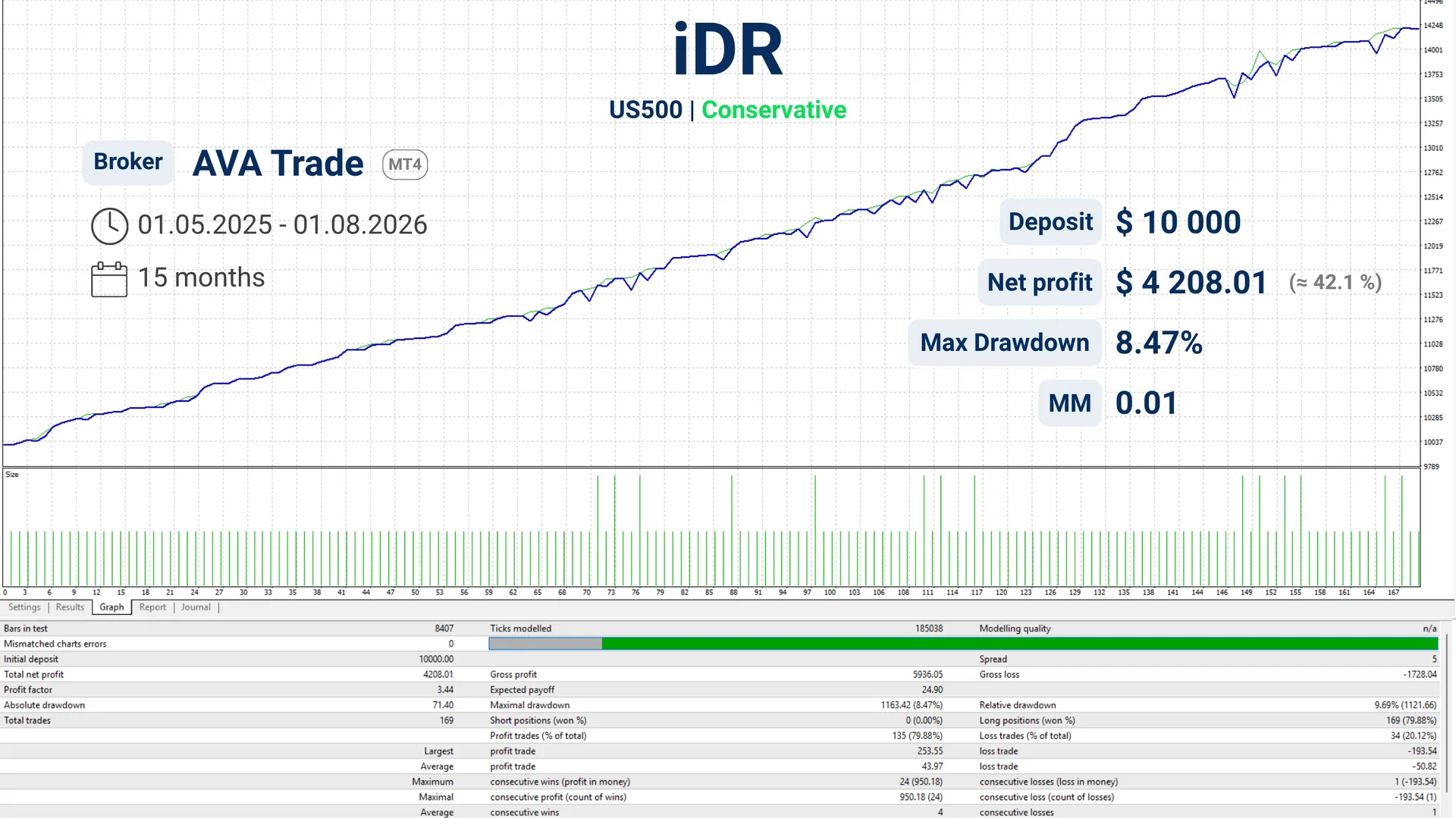
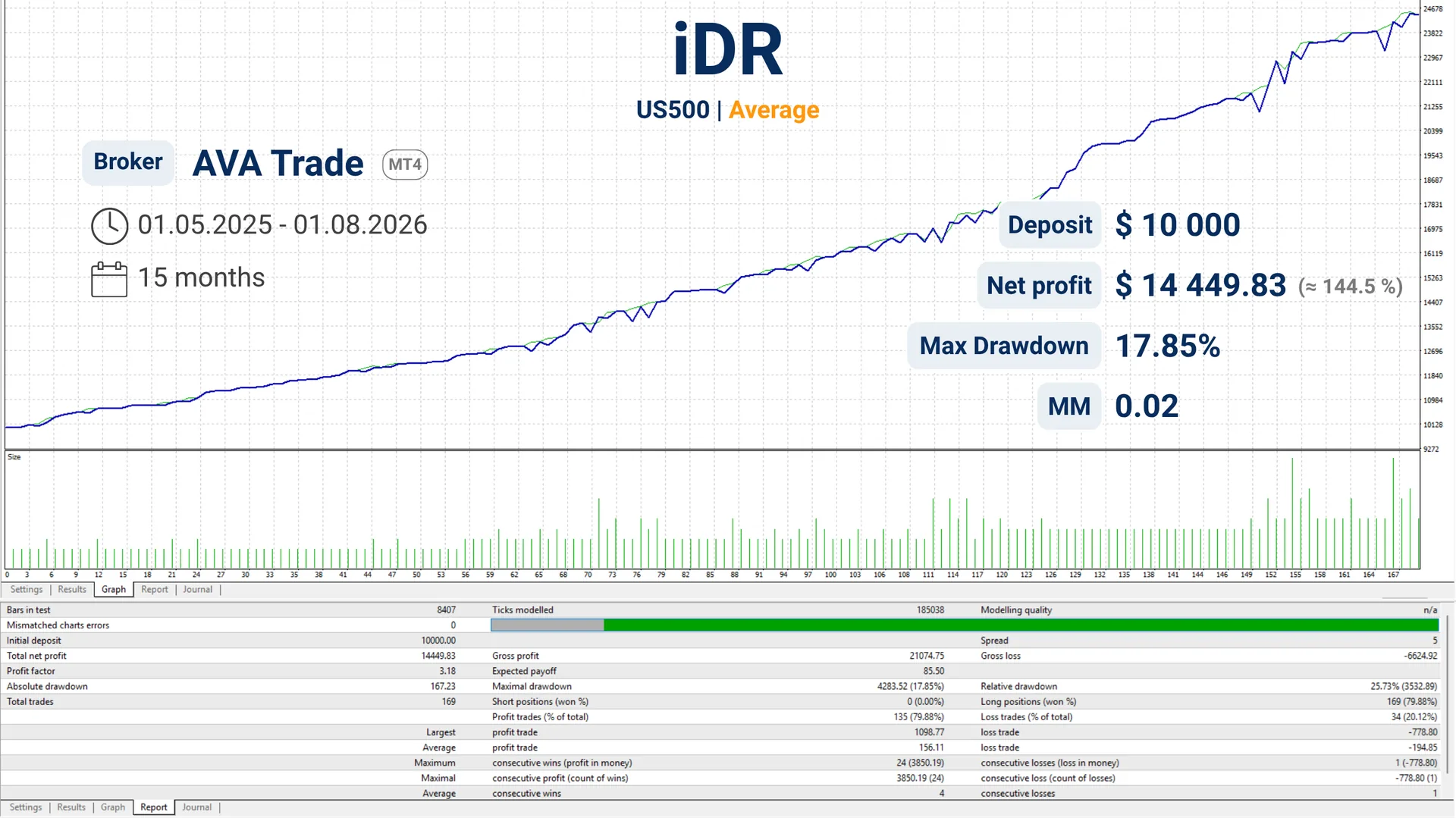
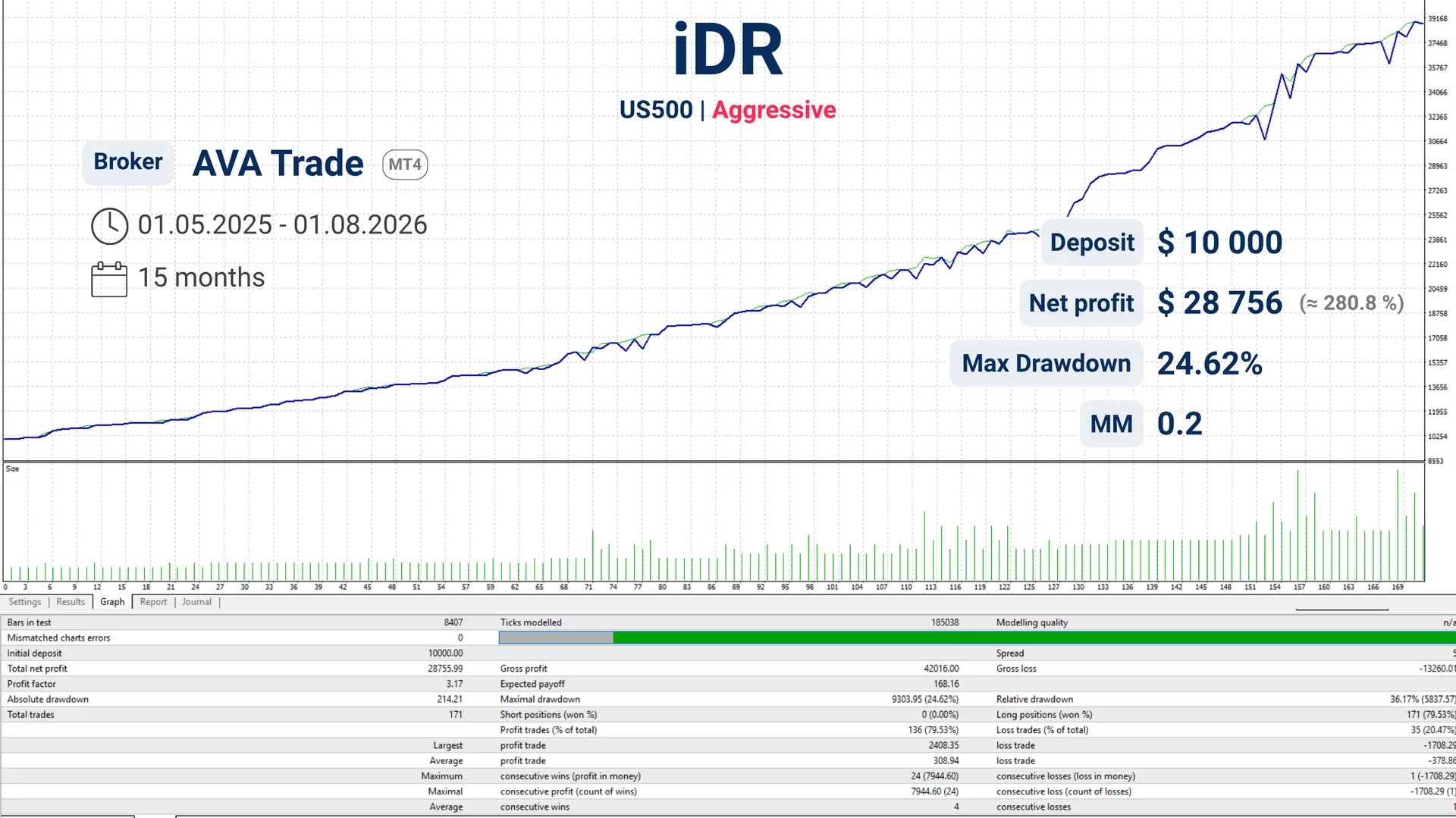
The EA tracks trends of investment instruments such as gold, indices, and cryptocurrencies on higher timeframes from H4–D and above. It finds entry points when an asset has made a temporary drop and buys the asset at a lower price (on a pullback). Then, the EA manages the position until the beginning of the next drop, where the position is closed with profit fixation.
Volume scaling and deposit protection functions
The EA features a trading volume scaling function (scaling in) based on market activity, as well as a deposit protection function with parameters configured by the user as a % drawdown of the initial deposit. This function is executed by placing opposing protective orders (locking positions) and completely halting the EA's operation. This approach allows the investor to calmly assess the current market situation and choose whether to fully or partially close all positions — for example, if the market has reversed in the desired direction (upward) and the user decides to resume trading with the previously opened orders.
Settings
| Magic | 1001 | Unique number to identify orders. |
| Magic2 | 1002 | Unique number to identify additional orders. |
| CloseAndStop | false | Smooth stop: new trades are blocked, open ones are closed gradually. |
| SwapCount | true | Take swap into account when calculating profit/loss. |
| Slippage | 5 | Maximum allowed slippage when executing an order, in points. |
| InfoBox | true | Show the information panel with EA metrics on the chart. |
| Lots | 0.1 | Starting lot size. |
| MM | 0.0 | Money management mode: 0 — fixed lot (from Lots), otherwise — calculation based on balance/risk. |
| Takeprofit | 100 | Distance from the order to the price level where profit is secured. |
| Step | 500 | Protective interval from the last open order, closer than which new orders are not opened. |
| Timeframe | H1 | Timeframe on which the EA analyzes the market. |
| LockDrawdown | 0.5 | Drawdown level at which defensive locking orders are placed and EA operation is stopped. |
| Trend | false | When enabled, the EA prioritizes opening positions in the direction of the trend. |
| TrendTimeframe | D1 | Timeframe for trend determination in the Trend filter. |
Configuration Examples
Find the setting that suits you best