 uk
uk en
en pl
pl ru
ruRisk Warning. Trading on financial markets, in particular automated trading using trading robots, involves a high risk of capital loss. Between 74% and 89% of retail investors lose money when trading CFD instruments with regulated European brokers. Past performance is not a guarantee of future results. Before using the robot, you should carefully read the full documentation and, if necessary, consult an independent financial adviser.
Robot eDIA
Short Description
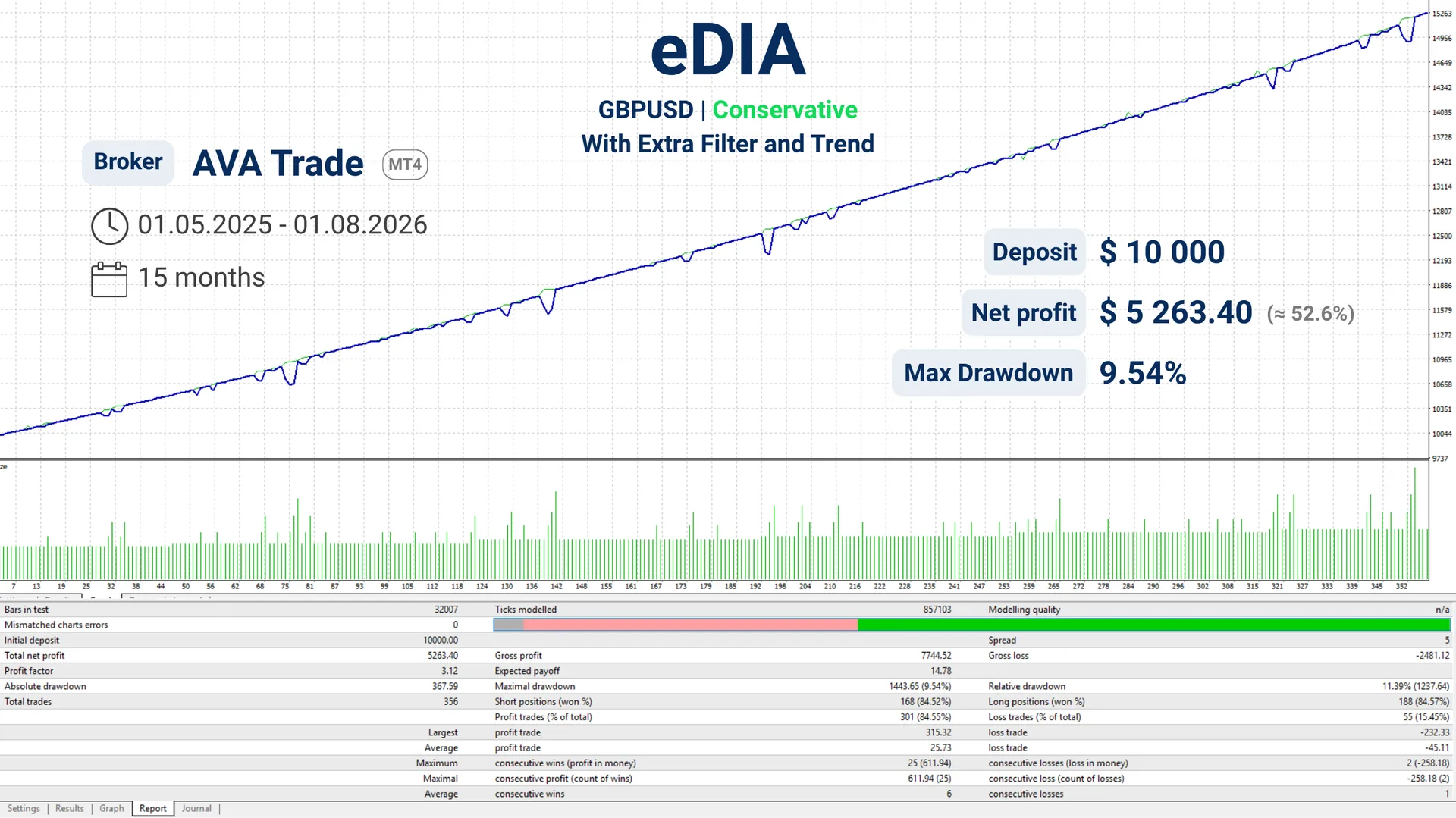
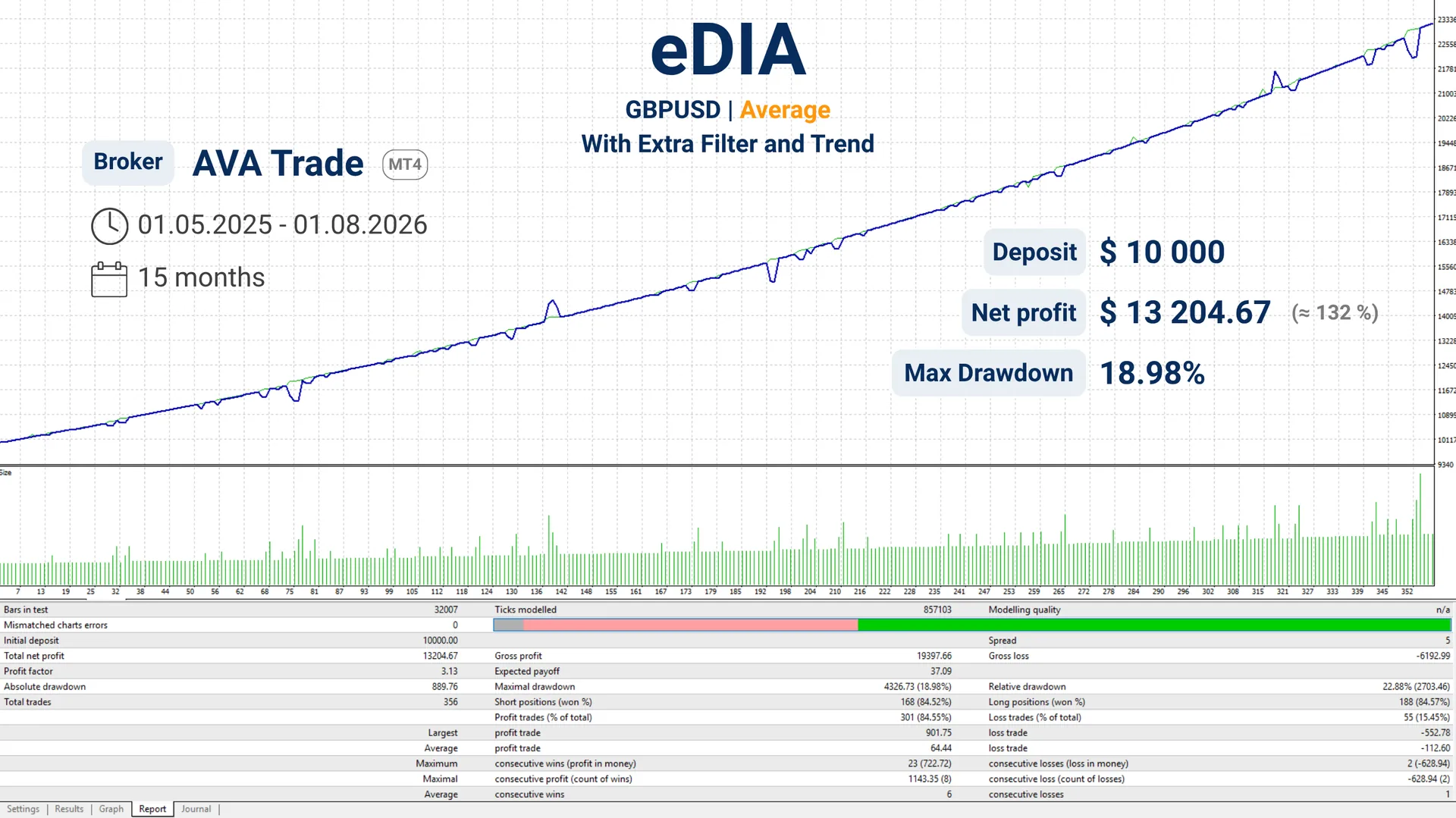
The eDIA EA is designed for volatile markets and performs best during sideways movements (in a flat). Trading is conducted in the direction of the true price — market equilibrium, and positions are opened when the instrument reverses from the boundaries of the range.
The principle behind eDIA
This principle is rooted in the very nature of speculation: "buy low, sell high". Any action taken by one group of traders triggers a reaction from another group looking to capitalize on the price movement caused by the first group. As a result, despite fluctuations, the price constantly tends to return to its true value. To identify entry points, the EA uses a combination of indicators with predefined parameters. For higher precision, an optional additional filter can be enabled.
Timeframe and risks
The aggressiveness of the trading is also influenced by the chosen timeframe (TF). A lower timeframe, such as M15, will result in more active yet riskier trading, while a higher timeframe, such as H1, will operate more conservatively. The user independently selects the most suitable approach by choosing the instrument and timeframe after backtesting and finding the optimal combination using historical data.
Settings
| MagicNumber | 1234 | Unique number to identify orders. |
| BuyPart | true | Allows the EA to open buy positions. If false, buying is disabled. |
| SellPart | true | Allows the EA to open sell positions. If false, selling is disabled. |
| CloseAndStop | false | Gradual trading stop without instantly closing all orders. Enabled (true) when you need to smoothly stop the EA. |
| SwapCount | true | Take swap into account when calculating profit/loss on trades. |
| InfoBox | true | Display an information panel on the chart showing current EA metrics (lots, drawdown, etc.). |
| ShowLevels | true | Display next order opening levels on the chart for visual entry point control. |
| BuyLevelColor | Blue | Color of the level lines representing buy orders on the chart. |
| SellLevelColor | Red | Color of the level lines representing sell orders on the chart. |
| Lots | 0.1 | Lot size used when opening the starting position. |
| MM | 0 | Money Management. Determines the lot calculation mode: fixed volume or calculation based on balance/risk (if 0, fixed lot from Lots is used). |
| Takeprofit | 100 | Distance from the order to the price level where profit is secured. |
| LockDrawdown | 0.7 | Drawdown level at which defensive locking orders are placed and EA operation is stopped. |
| Timeframe | Сurrent | Market analysis timeframe; Current is the timeframe of the current chart. |
| ExtOpenFilter | true | Additional entry filter that confirms price direction with indicators. |
| ExtTimeframe | 15 Minutes | Timeframe for calculating indicators in ExtOpenFilter. |
| Trend | false | When enabled, the EA prioritizes opening positions in the direction of the trend. |
| TrendTimeframe | 1 Hour | Timeframe for trend determination in the Trend filter. |
Configuration Examples
Find the setting that suits you best